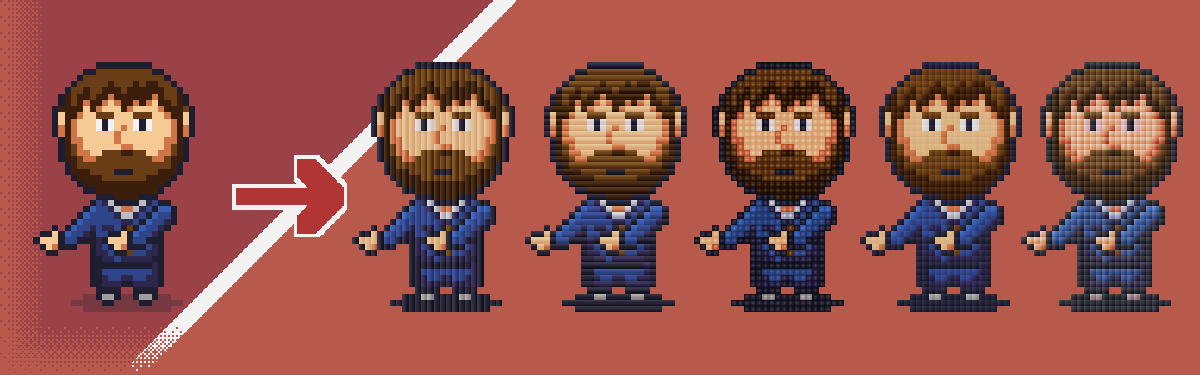
Pixel Gradient
This tool doesn't have a specific use-case - it was more of a "what would it look like" type of experiment. So there is no big "why this was created" story or "this is what you should use it for" explanation.
What it does:
- Takes your pixel art, which obviously each pixel is a solid pixel
- Upscales it so each "pixel" is now a larger square (depending on the scale slider)
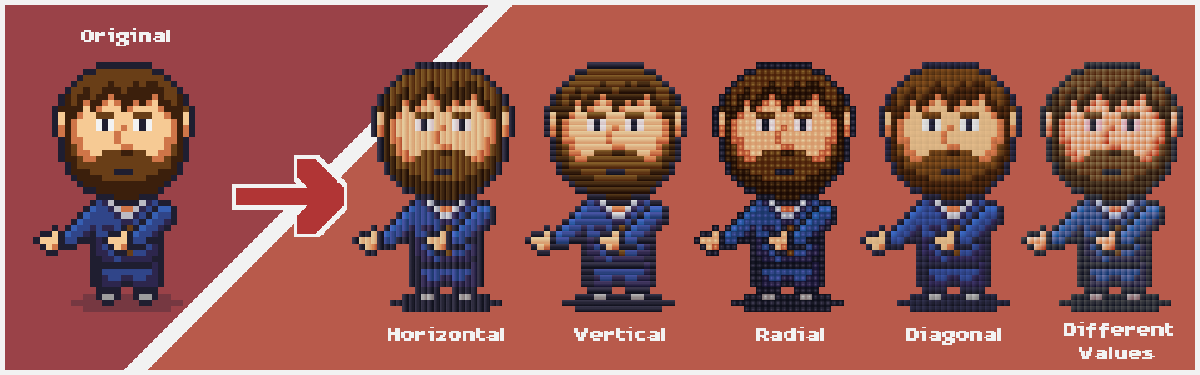
- Replaces that solid square with a gradient
I thought that with a diagonal gradient, it might look like natural lighting on if you were to make pixel art out if tiles (like in real life, on the ground or and outside wall).
What to do:
- Click the button to upload pixel art (note there is a pixel max)
- Play with the sliders
- Right click to copy or save
Hue/Value/Saturation Sliders
These sliders represent how much of hue, value, and saturation is added to one side of the gradient and subtracted from the other side of the gradient.
If they are all set to zero, it will be a solid color, as both sides of the gradient will be the same. So smaller the values, the more subtle the change.
Typically, I do small positive Hue, small negative saturation, and larger positive value. But obviously play around with it - which is why they are sliders so it is to experiment - until you find something cool!
Development log
- Pixel Gradients ExamplesJan 12, 2026


Leave a comment
Log in with itch.io to leave a comment.